
Free QR Code Generator with Logo
Need a qr code generator with logo that is fast, free, and easy to use? ToolSphare helps you create branded QR codes with logo customization, color control, and optional logo overlay in the center — all in your browser. Whether users search qr code generator with logo, free qr code generator with logo, qr code with logo generator, custom qr code generator with logo, or qr code generator with logo free no sign up, this page is designed to match that intent and deliver a practical workflow with no account required.
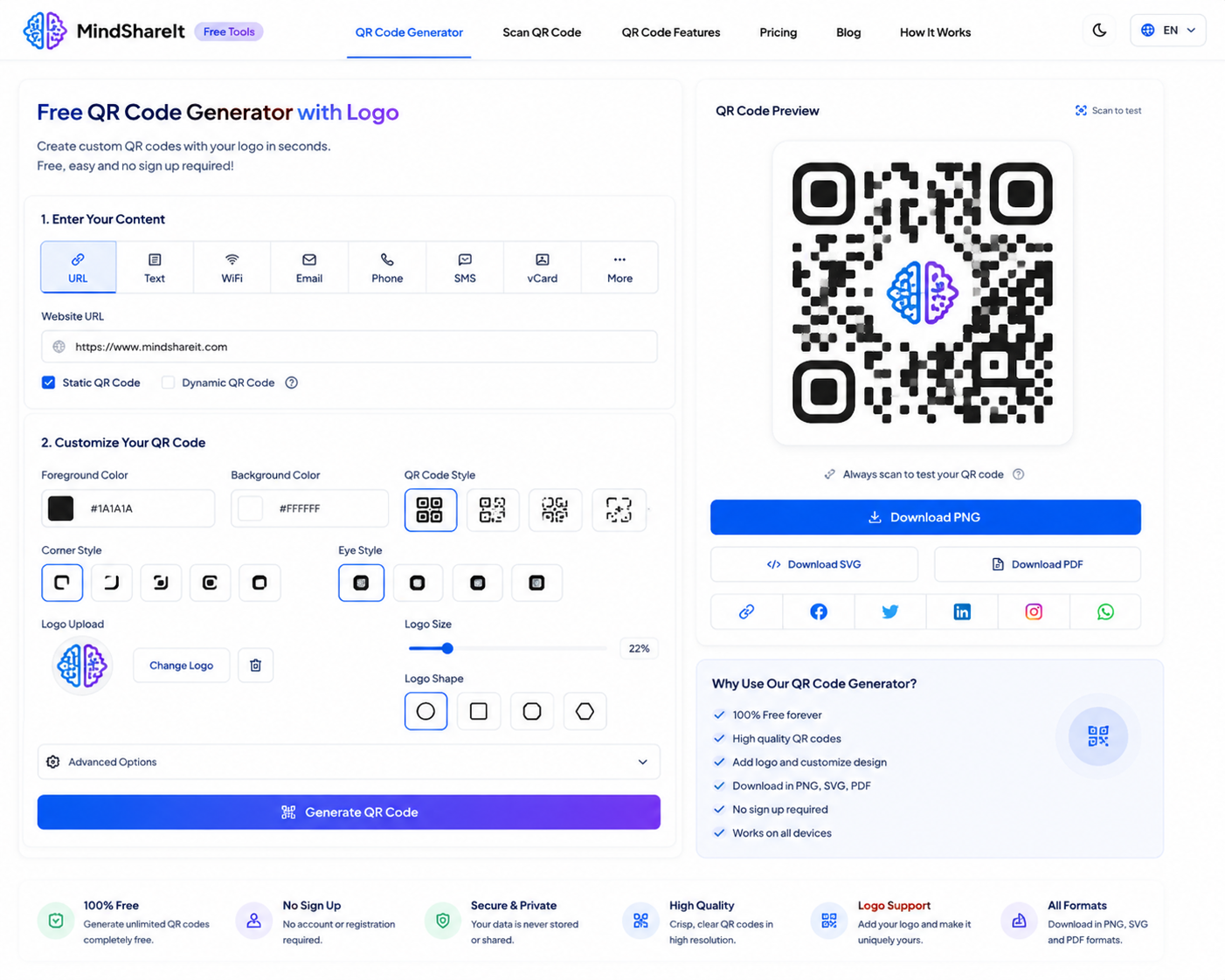
How to Use
- Choose a QR type: URL, Text, Wi‑Fi, Email, Phone, SMS, WhatsApp, or Contact (vCard).
- Fill in the fields for that type (e.g. website URL or Wi‑Fi name and password).
- Customize size, colors, error correction, and upload your logo for center placement.
- Click Generate QR Code, then Download PNG or Copy image.
Features
- Free qr code generator with logo — no account required
- Logo overlay in the center with High (H) error correction
- 8 QR types: URL, text, Wi‑Fi, email, phone, SMS, WhatsApp, vCard
- Foreground and background color customization
- Sizes from 128px to 1024px for print or digital use
- 100% client-side — nothing uploaded to servers
QR Code Generator with Logo Customization
This page is built for users searching high-intent phrases like qr code generator with logo, qr code generator with logo customization, qr code with logo generator, and custom qr code generator with logo. Instead of paying for a premium plan or creating a Canva account, ToolSphare gives you a direct browser workflow to generate branded QR codes with your logo embedded in the center.
Searches such as qr code generator with logo free, free qr code generator with logo, qr code with logo generator free, and qr code generator free with logo usually come from users who want speed, branding, and simplicity. They may be preparing business cards, product packaging, restaurant menus, event posters, or Wi‑Fi signage and need a scannable code that still looks on-brand.
The workflow is straightforward: choose your QR type, enter the data, upload a square logo, set colors and size, then download PNG. That direct path is what makes qr code generator with logo one of the most valuable branded-utility searches on the web.
Free QR Code Generator with Logo Online
Commercial intent is strong for phrases like free qr code generator with logo, qr code generator with logo for free, qr code generator with logo free online, online qr code generator with logo, and qr code generator online with logo. Users already know they need a logo-centered QR code and are comparing limits, watermarks, sign-up requirements, and export quality.
Branded searches also appear in the keyword set, including canva qr code generator with logo, adobe qr code generator with logo, and google qr code generator with logo. Users know the category is useful and are looking for a free alternative or comparison that does not require a subscription.
ToolSphare positions itself as a free qr code generator with logo for everyday branding work. The page focuses on creating static, downloadable QR codes with logo overlay rather than general design software, which gives clearer search intent and a stronger landing-page experience.
Logo in the Middle, Center, and Inside the QR Code
Many users search using placement-specific variants such as qr code generator with logo in middle, qr code generator with logo in center, qr code generator with logo in the middle, qr code generator with logo inside, qr code with logo in middle generator, and free qr code generator with logo in middle. These all point to the same core need: place a brand mark inside the QR pattern while keeping the code scannable.
ToolSphare places your uploaded logo in the center of the QR code and uses High (H) error correction by default so scanners can still read the payload even with the logo covering part of the pattern. Square PNG or JPG logos work best, especially when they have a simple shape and strong contrast against the background.
For best scan reliability, avoid oversized logos, very detailed artwork, or low-contrast colors. Start with a modest logo size, test the code on multiple phones, and increase branding only if scanning remains consistent.
Wi‑Fi, vCard, and Business Card QR Codes with Logo
Workflow-specific searches such as wifi qr code generator with logo, free wifi qr code generator with logo, vcard qr code generator with logo, free vcard qr code generator with logo, business card qr code generator with logo, and contact qr code generator with logo show that users want branded codes for real-world use cases, not just website links.
ToolSphare supports Wi‑Fi QR codes that let guests join a network by scanning, plus vCard contact codes for business cards and networking. You can add your company logo to either workflow, which is useful for phrases like qr code generator with company logo and custom qr code with logo generator.
Social-oriented searches like facebook qr code generator with logo, instagram qr code generator with logo, linkedin qr code generator with logo, and whatsapp qr code generator with logo free are usually best served by encoding the correct profile or chat URL in the URL or WhatsApp tab, then adding your logo for branding. This page supports that workflow even though it is not a platform-specific app generator.
Static vs Dynamic QR Code Generator with Logo
Queries like dynamic qr code generator with logo and static qr code generator with logo represent different technical needs. Dynamic QR codes redirect through a hosted URL so the destination can be changed later; static QR codes encode the final data directly into the image.
ToolSphare currently focuses on static QR code generation with logo overlay. That means the downloaded PNG contains the actual payload — URL, Wi‑Fi credentials, phone number, or vCard data — and does not depend on a third-party redirect service. This is ideal for users who want a free qr code generator with logo no sign up and full control over the exported file.
If you specifically need editable redirect links, analytics dashboards, or campaign tracking, a dynamic QR platform may be a better fit. This page is optimized for users who want a branded static QR code they can download immediately and use anywhere.
What This Page Does Not Target as the Main Intent
Your keyword set also includes developer-library searches such as python qr code generator with logo, javascript qr code generator with logo, nodejs qr code generator with logo, php qr code generator with logo, react qr code generator with logo, and qr code generator with logo api. Those users are usually looking for source code, SDKs, or backend integration rather than a browser-based generator.
To keep search intent clean, this page focuses on the online qr code generator with logo workflow for marketers, small businesses, students, and everyday users. Developer-oriented phrases are treated as secondary context rather than the main promise of the page.
Likewise, bulk qr code generator with logo, bulk qr code generator with logo free, and multi qr code generator with logo reflect batch-production needs that are different from creating one branded code at a time. This tool is optimized for fast single-code generation with logo customization, not large-scale bulk export.
Quick Tips for Better QR Scan Reliability
Use a clear URL or clean text payload, keep strong contrast between foreground and background, and avoid placing oversized logos in the center of the code.
If scanning fails, reduce logo size, keep error correction at High (H), and test with at least two phone camera apps before publishing on print material.
Frequently Asked Questions
Is this a free qr code generator with logo?
Yes. ToolSphare works as a free qr code generator with logo, so you can upload your brand mark, customize colors, generate the code, and download PNG without creating an account.
Can I put my logo in the middle of the QR code?
Yes. Upload a square logo and ToolSphare places it in the center of the QR code. Use High (H) error correction for the best scan reliability with a logo inside the code.
What QR types support logo customization?
All supported types can include a logo: URL, text, Wi‑Fi, email, phone, SMS, WhatsApp, and vCard contact cards. This covers common searches like wifi qr code generator with logo and business card qr code generator with logo.
Is this a dynamic qr code generator with logo?
No. This tool creates static QR codes that encode the final data directly into the PNG. If you need editable redirect links or analytics, you may need a dynamic QR platform instead.
How is this different from Canva or Adobe QR tools?
ToolSphare focuses on a fast, free qr code generator with logo workflow with no sign-up. Branded design suites may offer broader templates, but this page is optimized for users who want instant logo-centered QR code generation in the browser.
Are my URLs or Wi‑Fi passwords sent to a server?
No. QR generation happens entirely in your browser. Your data and logo stay local during creation.
Can I create bulk QR codes with logos?
This page is optimized for single-code generation with logo customization. For bulk qr code generator with logo workflows, create codes one at a time or use a dedicated batch tool if you need large-scale production.
What logo format works best?
Square PNG or JPG logos work best. Simple shapes with good contrast scan more reliably than very detailed artwork placed in the center of the code.
