


A telegram video downloader online gives you the power to paste any public Telegram link and save high-definition MP4 videos, audio notes, photos, and files directly to your smartphone or computer. Telegram has transformed into an indispensable global network for video creators, educational channels, news publishers, and tech communities. However, if you do not have the Telegram app installed, or if you want an uncompressed local copy saved directly to your device storage, downloading media from a t.me post link can be confusing. This comprehensive guide breaks down how an online telegram video downloader works, how to download public and private channel content, how to extract different file formats, and how ToolSphare’s free Telegram Video Downloader provides fast, zero-install downloads.

Poin-poin penting
- Paste any public t.me post link (e.g. t.me/channel/123) to fetch MP4 videos, audio notes, and files without logging in.
- Supports high-definition MP4 videos (720p, 1080p), voice memos, high-res photos, and document attachments (PDF, ZIP, APK).
- Understand the difference between public channel posts and private channel links (t.me/c/...) with tested extraction methods.
- Zero software installation required — works seamlessly in Chrome, Safari on iPhone, Android browsers, and PC.
- 100% free with uncompressed direct downloads and built-in HTML5 in-browser video preview.
What is an online Telegram video downloader?
A telegram video downloader online is a web-based utility that extracts media files from Telegram’s content distribution network (CDN) using a public post link. When a content creator posts a video, voice memo, or file to a public channel, Telegram generates a shareable web preview link (often structured as https://t.me/channel_name/post_id).
Under normal circumstances, clicking that link in a standard browser opens a basic preview page with prompts urging you to install the native Telegram desktop or mobile app. A dedicated downloader for telegram parses the public metadata, locates the underlying media stream, and delivers direct download buttons for MP4 video, original photos, or document attachments.
Users regularly search for terms like telegram video download, tg downloader, telegram download video, and telegram file downloader because they need quick, offline access to video tutorials, lectures, podcasts, or community files without cluttering their devices with native chat applications.
Step-by-step: How to download Telegram videos online
Downloading videos using ToolSphare takes less than ten seconds. Follow these simple steps on any phone, tablet, or computer:
Step 1 — Copy the Telegram link: Open Telegram (mobile app, desktop client, or Telegram Web). Navigate to the channel containing the video or file. Tap or right-click the message and select Copy Link (or Copy Post Link). The URL will look like https://t.me/telegram/441 or https://t.me/durov/260.
Step 2 — Paste the link: Go to the Telegram Video Downloader on ToolSphare. Paste the copied link into the input field.
Step 3 — Click Fetch: Our high-speed server inspects the public post, checks available resolutions, generates a secure preview, and extracts all media formats.
Step 4 — Preview and Download: Watch the video right in the browser player or click Download MP4. The file saves directly to your device’s Downloads folder.
Supported formats: Videos, voice notes, photos, and files
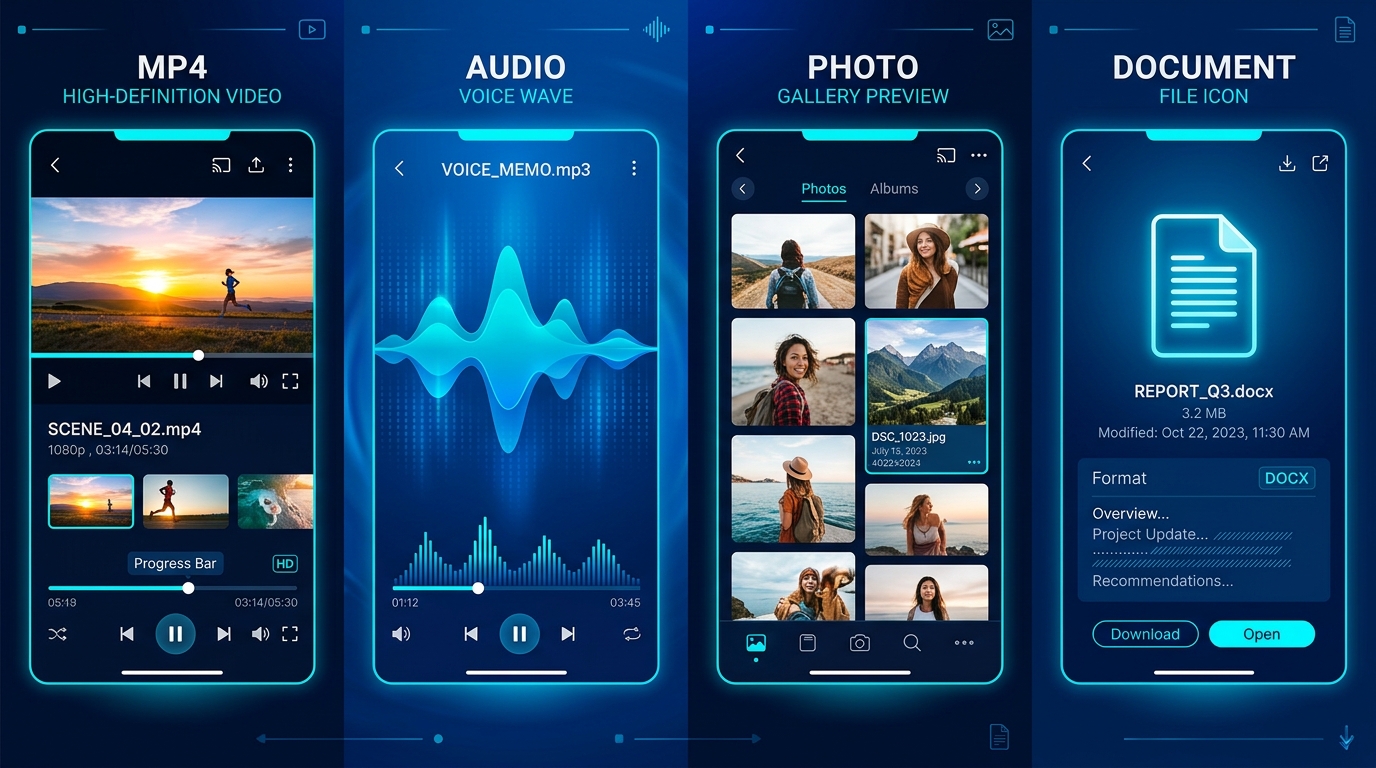
Unlike basic tools that only handle low-resolution clips, a comprehensive telegram media downloader supports the full spectrum of media formats distributed across Telegram:
• HD MP4 Videos: Telegram allows creators to upload high-definition video files. Our tool fetches the highest available quality (including 720p, 1080p Full HD, and 4K when available) with full audio sync.
• Audio & Voice Memos: Channels frequently share podcasts, voice messages, and music tracks formatted in OGG or MP3. Our system extracts the audio track for one-click download.
• High-Resolution Photos: When channels post photo galleries or infographics, our scraper captures the full-resolution uncompressed JPG images rather than low-quality thumbnail previews.
• Telegram File Downloader (Documents & PDFs): For educational, legal, or software channels distributing PDF documents, APK packages, or ZIP archives, our telegram file downloader preserves the original filename and file extension.
Public channels vs. private channels: How to download private Telegram videos
One of the most frequent questions from users is: How can I download videos from private Telegram channels? Search queries like telegram private video downloader online, telegram private channel video downloader online, and telegram restricted video downloader online represent thousands of monthly searches.
To understand how this works, you must recognize how Telegram manages permissions:
1. Public Channels (t.me/username/ID): Anyone on the internet can view these posts. No Telegram account is required. ToolSphare processes these links instantaneously without requiring login or authentication.
2. Private Channels (t.me/c/123456789/ID): These channels use numeric IDs and require an invitation link to join. Telegram’s servers strictly enforce member authentication. If you paste a t.me/c/... link into an external web tool, Telegram returns a permission error because public visitors cannot view private channel history.
3. How to save private channel videos: If you are an authorized member of a private channel, you have several reliable methods: (a) Forward the message to your own Saved Messages or a private bot that allows saving, (b) Open the channel in Telegram Web (Web K or Web Z) in Google Chrome, right-click the video, and choose Save Video As..., or (c) Use the Telegram desktop application to cache and export the video locally.
ToolSphare clearly detects private links and informs you immediately, avoiding broken downloads and ensuring your personal account remains secure.
Downloading Telegram videos on Chrome, iPhone, Android, and PC
Because ToolSphare is an online telegram video downloader, it requires no browser extensions or native software. Here is how to achieve the best experience on your specific operating system:
• Google Chrome & Chromium Browsers: Works natively on Windows, macOS, Linux, and Chromebooks. You can preview the video directly in the browser using HTML5 video acceleration and click the download button to save to your local drive.
• Android Smartphones & Tablets: In Chrome, Samsung Internet, or Brave on Android, clicking Download immediately triggers a native file download. The MP4 video appears instantly in your Gallery and Files app.
• iPhone & iPad (iOS Safari): Apple iOS provides a built-in Download Manager in Safari. When you tap Download MP4, Safari prompts you to download the file. Once downloaded, tap the download icon in the Safari address bar, select the video, and tap Save Video to store it directly in your iOS Photos camera roll.
• Windows & Mac PC: Full support for high-bitrate video playback and fast multi-threaded downloads. No need to keep Telegram Desktop running in the background.
Telegram download bots vs. web-based downloaders
Many users search for file downloader bot telegram or telegram video download bot. While Telegram bots inside the app can be convenient, they come with notable drawbacks compared to a web downloader:
• File Size Limits: Standard Telegram bots are capped at file uploads of 20MB to 50MB by the Telegram Bot API, unless they have specialized server setups. ToolSphare connects to Telegram’s CDN directly, handling larger channel videos easily.
• Privacy & Spam: Many third-party bots require you to share your phone number, join sponsored channels, or click suspicious ad links before delivering your file. Web downloaders like ToolSphare require zero permissions, zero phone numbers, and zero account signups.
• Speed & Stability: Telegram bots frequently get rate-limited or taken down due to high traffic loads. Our server-backed architecture provides dedicated bandwidth for smooth, continuous downloading.
Is it safe to download videos from Telegram?
Users frequently search is telegram safe to download. When downloading public channel videos through ToolSphare, the process is 100% safe. Here is why:
• No Credentials Needed: You never share your Telegram phone number, login code, or two-factor password. We only read publicly accessible media.
• Clean Files: All media is served directly from Telegram’s secure CDN in standard video (MP4) and audio formats without adware or modified installers.
• Copyright & Respect: Always ensure you have the right to download and use the media. Public channel posts are great for offline education, journalism, research, and personal archiving.
Pertanyaan yang sering diajukan
How to download telegram videos online without the app?
Copy the public post link (t.me/channel/ID), open ToolSphare Telegram Downloader in your web browser, paste the link, and click Fetch. You can preview the video and download it in high-definition MP4 format without installing the Telegram app.
Can I download videos from private Telegram channels?
Public channel links are fetched instantly. For private channels (with links starting with t.me/c/...), external tools cannot bypass Telegram’s server-side access control without member credentials. Authorized members can save private videos via Telegram Web or by forwarding them to their Saved Messages.
Does this Telegram downloader work as a file downloader?
Yes! ToolSphare functions as a full Telegram file downloader. In addition to MP4 videos, it detects and extracts audio notes (MP3/OGG), photos (JPG/PNG), and document attachments such as PDFs, ZIP files, and APKs.
Is ToolSphare Telegram video downloader completely free?
Yes, our downloader is 100% free with unlimited downloads, zero subscriptions, and no hidden charges.
Why did my Telegram video only show an image or broken thumbnail before?
Older downloaders mishandled Telegram CDN image URLs because Telegram serves images without traditional .jpg extensions. ToolSphare corrects MIME types automatically and provides dedicated stream proxying for crystal-clear thumbnails and video previews.
How can I save Telegram videos to my iPhone camera roll?
On your iPhone or iPad, open Safari, paste your Telegram link into ToolSphare, and tap Fetch. Tap Download MP4 to download the file into Safari’s Download Manager. Tap the download icon in Safari, select the video, tap the Share icon, and choose "Save Video" to add it to your Photos library.
Does ToolSphare add watermarks to downloaded Telegram videos?
No. All videos are downloaded in their original quality exactly as uploaded by the channel creator, without any added watermarks or compression.
Is it legal and safe to download videos from Telegram?
Yes, saving publicly available media for personal viewing and offline archiving is safe and standard practice. Never redistribute copyrighted content commercially without permission.
Artikel terkait
Siap mencobanya?
Gunakan utilitas gratis ToolSphare untuk menerapkan apa yang Anda pelajari — tanpa perlu mendaftar, hasil instan di browser Anda.
