密码生成器

密码生成器 帮助您在浏览器中快速获得结果 — 免费且无需注册。

100% Free
No Sign Up
Secure & Private
Strong Passwords
Works Everywhere

1 Customize Your Password

2 Advanced Options

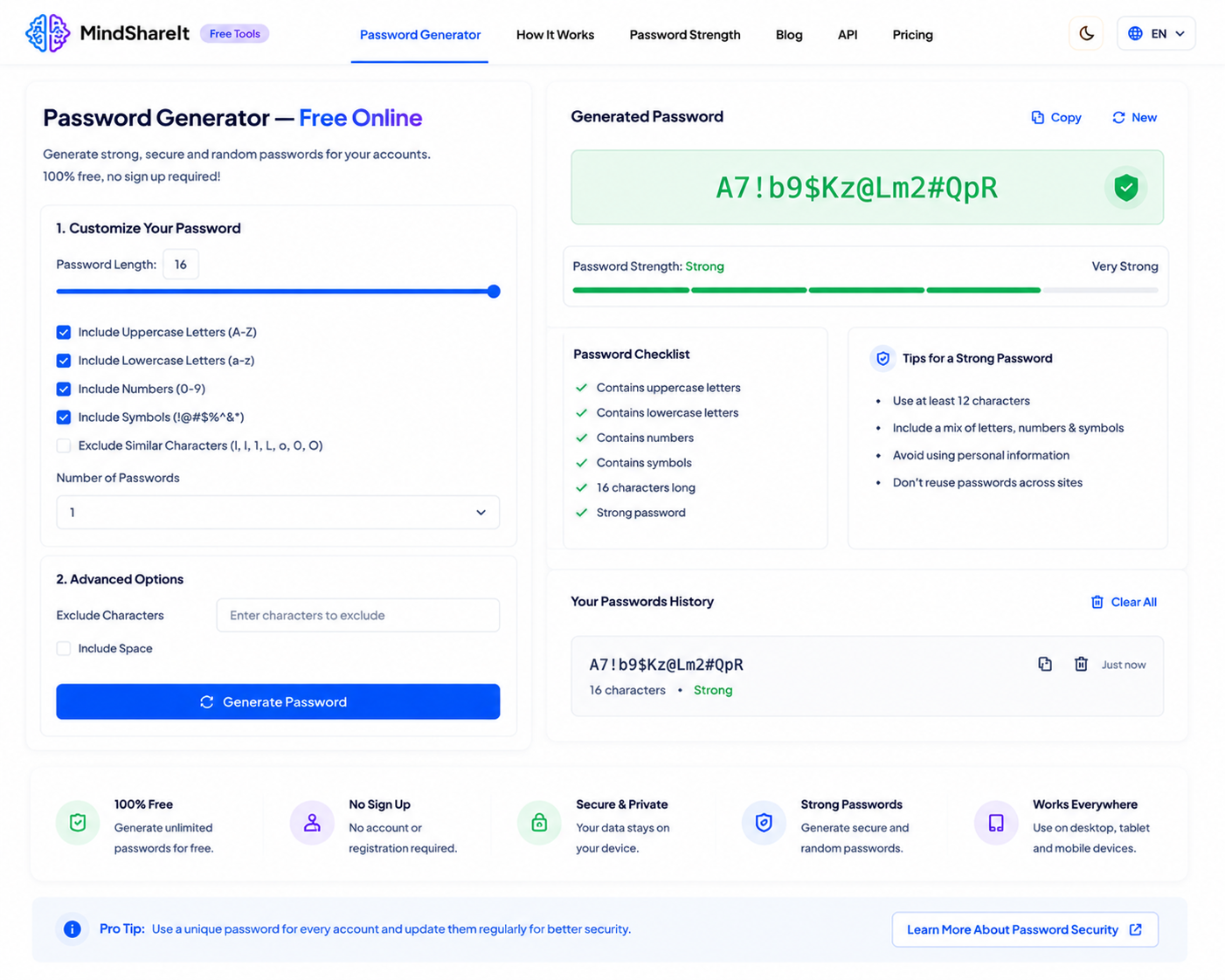
Generated Password

Click Generate
Password strength: —

Password Checklist

  • At least 12 characters
  • Contains uppercase letters
  • Contains lowercase letters
  • Contains numbers
  • Contains symbols
  • Strong password

Tips for a Strong Password

  • Use at least 12–16 characters
  • Mix letters, numbers, and symbols
  • Avoid personal information
  • Use a unique password per site
  • Store secrets in a password manager

Your Password History

Generated passwords will appear here (stored only on this device).

Pro tip: Never reuse passwords across important accounts. Generate a unique strong password for each site and save it in a password manager.
100% FreeUnlimited passwords, no limits.
No Sign UpGenerate instantly in your browser.
Secure & PrivateUses crypto randomness locally.
Strong PasswordsCustom length and character sets.
Works EverywhereDesktop, tablet, and mobile.
ToolSphare 上免费的 密码生成器 工具的屏幕截图

使用方法

  1. 打开工具并添加输入或文件。
  2. 按需调整选项,然后运行工具。
  3. 复制或下载结果。

功能

  • 尽可能在浏览器中私密处理
  • 免费使用,无需账户
  • 快速结果,可复制或下载
  • 支持桌面和移动浏览器

密码生成器 能做什么

密码生成器 适合无需安装软件的快速 password generator 类任务。

常见问题

这个工具免费吗?

是的。ToolSphare 上的此工具免费,无需账户。

需要注册吗?

不需要。打开工具即可立即开始。

我的文件会上传吗?

许多工具在浏览器中运行,文件通常留在您的设备上。